How to Get More Google Reviews Without Violating Platform Rules
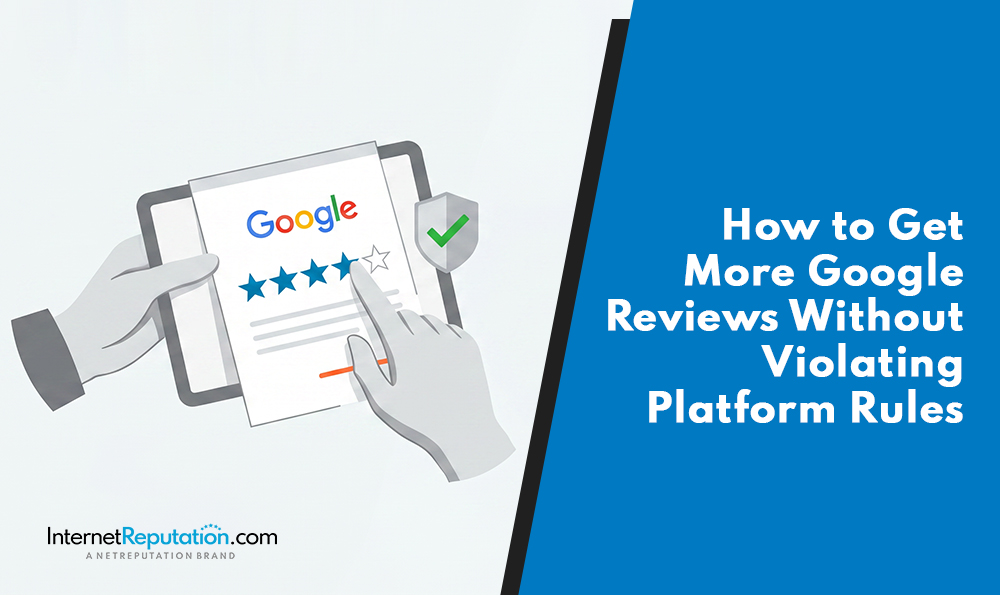
Most businesses trying to grow their Google review count are already breaking the rules. Not because they’re trying to game the system, but because the playbook they’ve been using for years quietly became a policy violation, in some cases as recently as April 2026.
If your current review strategy involves any kind of pre-screening, in-person pressure, staff incentives, or scripted asks, this post is worth reading before your next enforcement sweep.
What Google’s Updated Rules Actually Prohibit
Google’s core principle hasn’t changed: reviews must reflect a genuine, unbiased experience. What has changed is how specific the platform now is about what counts as manipulation.
Between February and April 2026, Google updated its Prohibited and Restricted Content guidelines to explicitly ban practices that were previously common and, in some cases, widely recommended.
Here’s what is now off the table:
- Review gating: the practice of pre-screening customers based on sentiment before sending a review link. If you’re routing happy customers to Google and unhappy customers to a private form, that’s gating. It’s been against policy since 2018, but Google’s AI-driven enforcement is now actively removing reviews from businesses that do this, including those collected months ago.
- On-premises pressure: You cannot require or pressure a customer to leave a review while they’re still at your location. That includes handing a customer a tablet at checkout, asking for a review before a technician leaves the job site, or using any in-store kiosk setup to collect reviews. The February 2026 policy update made this explicit.
- Asking for specific content: Under the April 2026 update, you cannot ask customers to include any specific content in their review, including the name of the staff member who helped them. Google’s systems flag reviews that mention full staff names as statistically unnatural behavior. Many businesses trained their teams to do exactly this. Those reviews are now being removed.
- Staff quotas: Directing employees to hit a review target is now explicitly prohibited. Internal review contests, leaderboard programs, and per-rep quotas all fall under this.
- Incentivizing reviews: Offering anything of value in exchange for a review is prohibited. That includes discounts, gift cards, loyalty points, raffle entries, or free services. The ban extends to offering incentives to get a negative review revised or removed.
- AI-generated review content: As of 2025, Google prohibits reviews written by AI tools, even if the customer had a real experience. Google’s Gemini-based enforcement system actively detects this content.
The Enforcement Reality Behind These Rules
The numbers tell you how seriously Google takes this. In 2025, the platform blocked or removed over 292 million policy-violating reviews, roughly 22 percent of all review activity. That’s not background noise. That’s active, scaled enforcement running continuously in the background.
There’s also a legal layer that sits separate from Google’s platform rules. The FTC finalized rules in 2024 making fake and manipulated reviews unlawful under federal consumer protection law. A profile penalty and federal liability are two very different problems.
Why Review Volume Still Matters
None of this means you should stop trying to get more Google reviews. It means you need a cleaner process for doing it.
Google reviews remain one of the most powerful signals in local search. Businesses with a higher volume of recent, authentic reviews consistently outperform competitors in the local pack. The recency of reviews matters too. A business with 200 reviews and no activity in the past six months will rank below a competitor with 80 reviews and a steady stream of new ones.
Reviews also now feed directly into AI-generated search responses. Google’s AI Overviews pull from structured signals, including review content, rating trends, and business attributes. A strong, consistent review profile increases the likelihood that your business appears in those summaries. This applies to any business that wants visibility beyond the traditional blue link.
The goal is exactly right. Only the method has to change.
How to Ask for Reviews the Right Way
The simplest compliant framework is this: ask every customer, not just the ones you think will say something positive. Send the request after they’ve left, not while they’re still there. Keep the language honest and pressure-free. Link directly to your Google Business Profile, not through a sentiment filter.
Here’s what that looks like in practice:
Send a review request to all customers after the transaction or service is complete. Twenty-four to 72 hours after completion is the sweet spot. Memory is fresh, but the customer has had time to actually process the experience.
Use plain, neutral language. Something like: “We’d appreciate your honest feedback on Google. Your experience helps others make informed decisions.” Do not say “if you had a great experience” or “if we exceeded your expectations.” That phrasing alone can be read as selective solicitation.
Send the direct Google review link. Get it from your Google Business Profile dashboard and use it in every outreach. Do not route the customer through any intermediate form or satisfaction survey. One click should take them straight to the review box.
Use drip-style outreach rather than mass sends. If you blast 500 review requests at once and 80 people respond in a week, Google’s automated systems may flag the spike in volume and pull the reviews. Individualized, sequenced sends look more natural and protect the reviews you earn.
SMS tends to outperform email in converting reviews. If you have permission-based mobile contacts, use them. A short, direct SMS with the review link and a single sentence of context is opened. A three-paragraph email often doesn’t.
Making It Easy Without Making It Manipulative
There’s a meaningful difference between removing friction from the review process and manipulating it. Here’s where the line sits.
QR codes on receipts, packaging, invoices, or take-home materials are fine. The customer gets home, thinks about the experience, and scans when they’re ready. That’s voluntary. A tech handing a phone to a customer before leaving the job site is not.
Email signature review links are fine. A standing “Share your experience with us on Google” link in the footer of your team’s emails is a passive, low-pressure invitation. No urgency, no incentive, no ask while the customer is still in a buying state.
Review widgets on your website must link directly to your Google Business Profile. If your widget routes users through a satisfaction question first, that’s gating and a violation.
Staff training matters here. The message your team delivers should be simple: “We’d love your feedback. Here’s a link if you’d like to leave a review.” No scripts that include product names, no coaching on star ratings, and no asking while standing in front of the customer, waiting for them to finish. A relaxed, one-line mention at the end of an interaction is the right level of involvement for your team.
How Responding to Reviews Generates More of Them
This part is skipped, and it shouldn’t be. Consistently responding to reviews is one of the most effective organic drivers of new review behavior.
When customers see that reviews get read and responded to, they’re more likely to leave one. It signals that the feedback matters. That’s especially true for negative reviews. A calm, professional response to a one-star review shows prospective customers that you take problems seriously. It also signals to Google that you’re an active, engaged business.
Respond to every review, positive and negative, within a few days of its posting. For positive reviews, keep it brief and specific. Reference something from the review itself rather than using a generic template. For negative reviews, acknowledge the issue, avoid defensiveness, and offer to take the conversation offline.
What you should never do in response to a negative review: offer a discount, a gift, or any incentive to revise or remove it. That now falls under Google’s prohibited activity and can trigger further enforcement on your profile.
What to Do If Your Reviews Are Disappearing
If you’ve noticed a drop in your review count, you’re not alone. Google’s enforcement has accelerated substantially since late 2024, and the removals aren’t always limited to businesses doing something obviously wrong. The automated systems detect patterns, and legitimate reviews can get caught in those sweeps if they arrive in a spike, come from accounts with limited activity history, or exhibit other suspicious signals.
First, check your Reviews Management Tool inside Google Business Profile. Look for status messages and try to identify which reviews were removed and when. Look for patterns. Did removals cluster around a particular time period or a request campaign?
Do not try to quickly replace removed reviews. A sudden increase in volume after a removal wave flags your profile for additional scrutiny. Let the pace of new reviews stay natural.
If you believe reviews were removed in error, Google allows a one-time appeal through the Reviews Management Tool. Use it, document the outcome, and move on. The better long-term play is building a consistent, compliant review stream that doesn’t depend on bursts. A steady cadence of authentic reviews holds up better over time than a high-count profile built from a push campaign.
The Bottom Line
A strong Google review profile is a reputation asset. It compounds. A business that earns 10 genuine reviews a month for 2 years ends up with a profile that’s almost impossible to compete against with any shortcut strategy, especially now that those shortcuts carry real enforcement risk.
If you’re not sure whether your current review process complies with Google’s 2026 guidelines, or if you want a more comprehensive look at how your online presence is performing, NetReputation’s reputation management team works with businesses at every stage. Start by auditing what you have, then build a clean system forward.
FAQ
Is it against Google’s rules to ask customers for reviews?
No. Asking customers for reviews is allowed and encouraged. What Google prohibits is how you ask. You cannot gate requests by satisfaction level, offer incentives, pressure customers while they’re still on your premises, or direct them to include specific content. Ask all customers equally, after the experience is complete, with a neutral request and a direct link to your Google Business Profile.
What is review gating, and why is it prohibited?
Review gating is the practice of pre-screening customers by sentiment before sending them a review link. For example, sending a satisfaction survey first and only routing customers who responded positively to Google. Google prohibits this because it artificially inflates ratings by systematically suppressing negative feedback. The April 2026 policy update explicitly bans selective solicitation and is actively enforced by AI-based detection.
Can I offer a discount in exchange for a Google review?
No. Offering any incentive for a review is prohibited under Google’s policy. That includes discounts, gift cards, loyalty points, free services, or raffle entries. The ban also covers offering incentives to get a customer to revise or remove a negative review. Violations can result in review removal, profile restrictions, and, under 2024 FTC rules, potential legal liability.
How do I get more Google reviews without violating any rules?
Ask every customer after the service or transaction is complete. Use neutral language that invites honest feedback rather than positive feedback. Send the direct Google Business Profile review link without routing through a pre-screening form. Use individualized, sequenced outreach rather than bulk sends. Respond to every review you receive. Do not offer incentives, coach on content, or pressure customers on-site. That process is fully compliant and, when done consistently, is the most durable strategy available.