What You Should Know About Executive Privacy Risk Management

What is executive privacy risk management? Get answers below, or contact an Executive Privacy Specialist today.
Today, many employees make common but avoidable errors, such as reusing old passwords. This can put information about your company and affected individuals at risk.
This might lead you to wonder what you should know about executive privacy risk management, and most organizations need a structured approach to prevent different attacks.
This article will take a look at what privacy risk management is, how to manage it, and how it can help your business stay safe. Read on to explore all about risk management protection, and keep your business safe today.
How Data Is Exposed
Given the growing complexity of how executive data is collected and sold, it poses a grave threat to your executives. This information can be from corporate records, social media activity, and even news stories, with applicable data privacy laws shaping how it should be handled.
Hackers can obtain such information, including their date of birth, full name, family members’ phone numbers and home addresses, and even financial information, creating serious privacy and security concerns for executives.
Mobile Security Threats
As an executive, you’re likely traveling and on your mobile device often. If controls are weak, they can affect your ability to stay ahead of threats and increase the risk of falling victim to mobile security threats.
Like spyware and other computer viruses, your tablet or smartphone can also face security threats. Such threats often allow hackers to monitor your activities, including at your home, making it critical to respond quickly when mobile threats are detected. Some common security threats are:
- Physical device breaches
- Wi-FI interference
- Poor passwords
- Cryptojacking
- Out-of-date breaches
- Data leakage
Keeping Executive Privacy Safe
Preparation and planning ahead are practical steps for executive privacy risk management. First, make sure your devices are locked when they’re not in use.
Second, if your executives are involved in different industry groups or nonprofit organizations, ask them to decrease or remove their personal information on those websites to support privacy compliance and reduce exposure tied to applicable regulatory requirements. The goal is to minimize the information floating around the internet.
There are websites where people can search for information about you. You can choose to remove personal information from these websites, and privacy tools and other resources can help support those removal requests.
While the process might seem tedious, it’s necessary to protect your data. It’s a good idea to perform a monthly check to assess new exposure and support ongoing risk treatment, since new records can appear at any time.
Encryption
Encryption is often required for sensitive executive data in certain business contexts, protecting both data in transit and at rest. In such cases, the information can only be decrypted if you have the decryption key. If you ever want to end access to the data, then you can destroy the keys to help protect it.
Anonymization
Anonymization is where you alter the data to the point where it can’t be identified. Keep in mind this always comes with a residual risk.
Training Your Employees
One of the top causes of data breaches is an employee clicking a malicious link in an email, so training helps reduce them. To prevent this, train your employees on best practices for protecting information and keeping your company safe across security and privacy teams.
Teach your staff about the importance of good browsing practices and visiting only trustworthy websites. Ongoing training helps staff learn how to recognize threats and build safer habits. Show them examples of strong passwords and, when possible, how to avoid weak ones. Also, instruct your employees never to click links or download attachments from unknown emails. Remind them that hackers often pose as trustworthy email addresses. How do you create a good password? Strong passwords tend to include:
- At least 1 number
- 1 lowercase letter
- 1 uppercase letter
- 10 characters or more
- 1 special character
Securing Your Network
Along with encryption, you’ll want a firewall to protect your and your company’s information and provide stronger protection for executive and company information. Ensure that your Wi-Fi is hidden and secure. To do so, set up your router or wireless access point to hide the network’s name and provide basic controls over who can configure or access the network. Also, make sure there’s a password to protect access to your router.
Understanding the Difference Between a Breach and an Incident
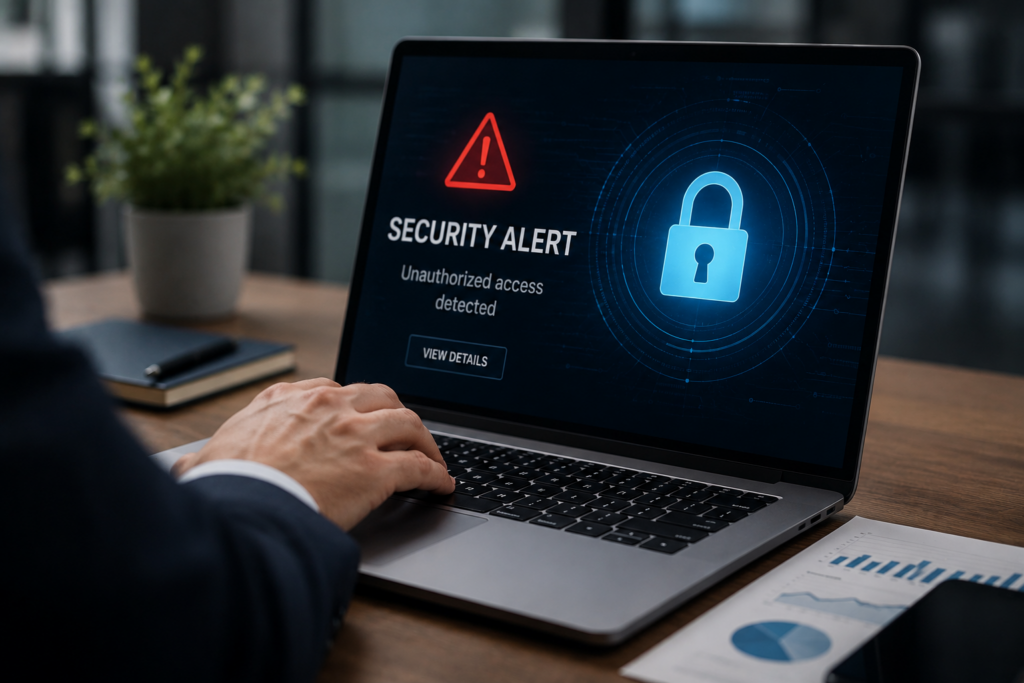
A breach occurs when personal or sensitive information is accessed without permission, whereas incidents are different privacy risks that call for different responses. When a breach occurs, companies may need to notify the organization and anyone impacted by the breach, with some notifications legally required. A privacy incident, however, is when someone compromises personal information. This may include any instance in which a co-worker violates corporate procedures or privacy policies.
Risk Identification
Risk identification is the process by which organizations identify, assess, and manage threats affecting executive information and determine what can cause potential loss of company assets. This helps determine why and how privacy risks can lead to that loss.
First, identify the assets, threats, existing controls, and vulnerabilities within and across your IT system. Next, determine the likelihood of a breach or security crisis and root out any weaknesses that could bring issues to the attention of the right people for action.
Common Threats
Cyber threats commonly experienced by businesses in today’s digital world include phishing, malware, ransomware, and viruses. Phishing is when a website or email attempts to infect your machine to collect information, creating operational and reputational concerns. These emails often appear to come from a trusted individual or company. And once you open them, they try to persuade you to open an attachment or click on a link.
Malware
Malware is software that can damage your computer or your information network. Common examples of malware include ransomware and viruses.
Ransomware restricts access to a computer once infected, so organizations must respond quickly before attackers demand payment to restore access. These are often from software or phishing emails. Viruses are programs that can spread from computer to computer. Once a virus is implemented, the hacker can gain access to your system. Malware is one of the threats organizations are constantly managing as part of executive privacy risk management.
Understanding What To Know About Executive Privacy Risk Management
This guide should give you a better understanding of executive privacy risk management. In business, you’ll want to protect your privacy and personal information online. If not, you run the risk of a hacker gaining information about your financials, along with your personal information.
Different platforms, such as social media, can give others access to your personal information. If you’re looking to protect your privacy online, give us a call. Contact us today, and get a free online consultation.