How to Protect Your Online Reputation: A Simple Daily, Weekly, and Monthly Routine
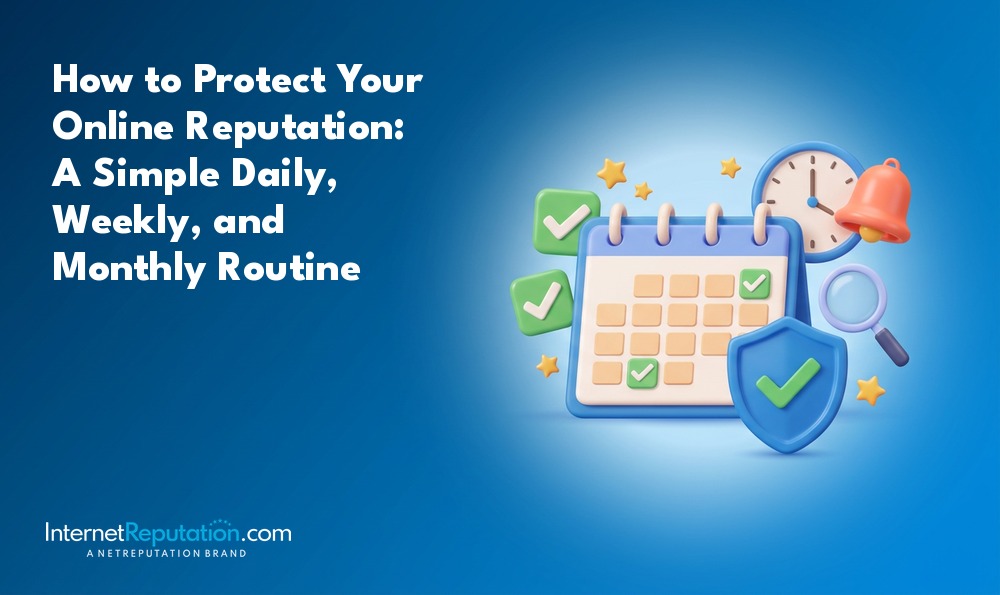
A 15-minute daily habit, backed by weekly and monthly check-ins, is enough for most professionals and small business owners to protect their online reputation without letting the task take over their schedule. This article lays out that routine step by step, with time estimates for each task, so you can start today.
This is not a full online reputation management strategy or a legal guide. If you need a broader playbook, the online reputation management guide covers that ground. Here’s a repeatable checklist: what to check, how often, and how long each piece should take.
Most people ask: “What should I actually do, and how often, to keep my reputation safe without it becoming a second job?” The answer: a 15-minute daily check, a 45-minute weekly review, and a 60- to 90-minute monthly deep dive cover search engines, social media sites, reviews, AI answers, data brokers, and account security.
By the end of this article, you will have:
- A concrete 15-minute daily reputation routine with minute estimates per task.
- A weekly review process to catch reviews, social media posts, and AI search mentions.
- A monthly deep clean focused on privacy, data brokers, and account security.
- Clear first steps for responding when negative content appears, plus when to escalate.
What Does It Mean To Protect Your Online Reputation?
Protecting your online reputation means monitoring what people see about you online, shaping what they find, and quickly addressing problems before they grow. Your digital reputation includes search results, social media interactions, reviews, AI-generated answers, and third-party mentions that appear when someone looks you up by name or brand.
This routine is built for professionals with a public presence: business owners, executives, consultants, and licensed professionals whose names and brands customers, partners, or employers search. Your digital footprint includes all online activity and posts, from social media to online purchases, and it directly affects job prospects and relationships.
The stakes are measurable. A CareerBuilder/Harris Poll study found that 70% of employers use social networking sites to research candidates, and 57% found content that led them not to hire someone. For local businesses, Google and review scores are now part of every buying decision, and the standards keep rising. You can find more data points like these on the reputation management statistics page.
The Key Components Of Your Online Reputation
Your online reputation is made up of five building blocks, and the routine touches each one across different timeframes:
- Search results on Google and Bing for your name, company name, and key variations.
- AI-generated answers and summaries from tools like ChatGPT, Gemini, Google AI Overviews, and Perplexity that mention you or your business.
- Public social profiles and tagged content on platforms like LinkedIn, Facebook, Instagram, X, and TikTok.
- Online reviews and ratings on Google Business Profile, Yelp, industry directories, and specialist sites.
- Data broker and people-search listings, plus other digital footprint elements like old forum posts or dormant social media profiles.
You do not need to obsess over every component every day. The point is to spread the workload across a consistent schedule so that nothing slips through unnoticed for weeks or months.
Why A Routine Beats One-Off Cleanups
A one-time cleanup before a job search or after a crisis fixes what is visible at that moment. It does nothing for what appears next week. The BrightLocal Local Consumer Review Survey 2026 makes the case for consistency with hard numbers:
- 85% of consumers are more likely to choose a business after reading positive reviews, while 77% are turned off by negative reviews.
- 31% of consumers will only use businesses rated 4.5 stars or higher, up from 17% in 2025.
- 74% look for reviews written in the last three months.
Because buyers focus on recent reviews, a one-week push followed by months of silence leaves you exposed. You need a steady review cadence and regular publishing to keep fresh, positive signals flowing. For deeper review strategy, the review management resource covers scripting and escalation tactics.
To stay ahead of shifting signals, break reputation work into a small daily habit, a weekly review, and a monthly deep dive.
What Is A 15-Minute Daily Online Reputation Routine?
Fifteen minutes each morning is enough for most professionals and small business owners to catch new problems before they spread. The routine has four parts, each with a specific time estimate and a focused task. If you hold a brand-critical role (CEO, public figure, anyone facing active media coverage), you may extend this to 20 or 30 minutes on busier days.
1. Quick Search Check (4 minutes)
Open an incognito browser window and run a few fast searches.
- Google your name, brand name, and one key product or service term. Regularly search your name online to monitor your digital footprint and catch surprises early.
- Scan the first page of results, including the “Top stories” and video sections, for anything new or concerning.
- If you share a common name, repeat the search and add your city or state to filter out other people.
- Make a quick note of any new negative or surprising result in a simple log or spreadsheet.
This takes less time than reading a long email. For automated search monitoring and alert setup, the reputation monitoring guide walks through more advanced options.
2. AI Answer Snapshot (3 minutes)
AI assistants are now part of “page one” for a growing share of searches. Pew Research Center reported in July 2025 that an AI summary appeared for 18% of Google searches. When that summary appeared, clicks on traditional results fell to 8% of visits, compared with 15% when no AI summary was shown. What AI says about you now matters as much as what ranks in the blue links.
Once per weekday, ask one or two AI tools (ChatGPT, Google AI Overviews, or Perplexity) a question like “Who is [Your Name]?” or “What do people say about [Your Business]?” Scan the output for old, inaccurate, or out-of-context content. Note any incorrect facts or problematic sources for follow-up during your weekly or monthly block.
Consider a dentist who responded poorly to a scheduling complaint in an online forum five years ago. That post no longer ranks on Google’s first page. But when a patient asks an AI tool, “What do people say about Dr. Smith’s clinic?”, the AI paraphrases the old complaint without context about the resolution. Without regularly checking AI answers, the dentist would never know.
3. Review & Message Triage (5 minutes)
This step focuses on quickly checking your key platforms for new comments, reviews, or messages that could affect your reputation.
- Check your Google Business Profile, Yelp, and one or two main industry review sites for new reviews.
- Scan your main inbound channels: email helpdesk folder, LinkedIn messages, Facebook Page inbox, or Instagram DMs.
- Flag any new negative review or sensitive message for a thoughtful reply later the same day. Do not respond in the heat of the moment.
Timely responses to customer feedback improve perception. According to the BrightLocal 2026 survey, 80% of consumers are more likely to use a business that replies to all its reviews, and 50% are put off by generic or templated replies. The five minutes you spend here is about triage, not drafting final responses, but many of the same principles show up in broader reputation management strategies you may apply across channels.
4. Quick Social Scan & Self-Filter (3 minutes)
This is a fast scroll, not a doom-scroll.
Open the main social app that carries your professional identity (often LinkedIn plus one other) and scan notifications. Look for tags, comments, and reshares that mention you or your business name. Remove or untag yourself from anything clearly off-brand when possible, and note content you cannot control for later handling.
Before you post anything reactive online, pause. If the topic is sensitive or emotional, defer to your weekly planning block. Online posts can be permanently recorded and misinterpreted. Remember that employers often Google candidates before hiring, so even personal social media posts carry professional risk. Use privacy settings to limit visibility of your posts, but be aware that privacy settings do not completely protect your online information from all viewers.
What Should You Do Weekly To Protect Your Online Reputation?
Set aside 45 minutes each week to handle tasks that don’t fit into the daily 15-minute window. You can do this in one session or split it into two 20- to 25-minute blocks on different days.
1. Respond Thoughtfully To Reviews (15 minutes)
Sit down once a week and reply to reviews in a calm, consistent tone.
Open Google Business Profile and all major review platforms you use. Reply to every new positive review with a short, specific thank-you that does not look copied and pasted. Tackle negative reviews with a structured approach: acknowledge the issue, apologize where appropriate, outline a next step, and move details offline. Engage constructively with criticism to mitigate negative feedback and show future customers you take service seriously.
Respond directly to negative reviews on relevant platforms. BrightLocal’s 2026 data confirms the payoff: 80% of consumers favor businesses that reply to all reviews, and half actively avoid businesses that send generic responses. Addressing negative comments privately can help resolve sensitive issues that should not play out in a public thread.
Consider a café that receives one 1-star review about slow service. The owner never replies. That unanswered negative review sits at the top of their Google Business Profile for weeks, visible in the local search pack. A two-sentence response acknowledging the wait time and explaining the fix could change the impression entirely.
2. Audit Social Profiles & Privacy Settings (10 minutes)
Since 70% of employers and many potential clients check social profiles, a weekly hygiene pass is worth the time.
Review your latest posts, comments, and likes on LinkedIn and one or two personal platforms. Remove, hide, or untag your own posts that clash with the reputation you want to maintain. If you would not want a potential employer or a client to see it, it should not be public.
Check privacy settings on at least one platform each week, rotating through Facebook, Instagram, X, and TikTok over the course of a month. Strong privacy settings reduce public exposure of personal information, though they don’t eliminate it entirely. Review tagged photos and public story highlights for anything that could be taken out of context.
Think about a consultant applying for a high-stakes client engagement. A tagged Instagram photo from a friend’s party shows behavior that looks unprofessional. The hiring manager finds it during a routine social media screen and moves on to the next candidate. A weekly scan catches that tag before it costs an opportunity. If you post inappropriate content or let others tag you in it, your career advancement can stall without you ever knowing why.
3. Review Alerts & Monitoring Feeds (10 minutes)
Once a week, go through your alerts in an organized way so quiet but important mentions do not slip past.
- Review email digests from Google Alerts or similar tools for your name, company name, and key executives. Alerts can notify you of new online mentions so you can manage your reputation before they snowball.
- Skim mention-monitoring tools or saved searches where you track brand and product names.
- Save or bookmark media mentions, blog posts, or directory listings you may want to promote or correct.
- Adjust alert keywords or filters if you are getting too much noise or missing relevant mentions.
Active monitoring helps track name and brand mentions online. Regular online searches help track your digital reputation beyond what alerts catch, especially when combined with simple daily online reputation habits that keep you visible to potential risks.
4. Plan & Publish One Piece of Positive Content (10 minutes)
Protecting your online reputation also means giving people something strong and current to find. Publishing quality content helps build a positive digital footprint.
- Publish one short LinkedIn post or blog entry showing expertise, a client success (with permission), or useful advice in your field.
- Update a key owned profile (personal website, About section on LinkedIn, company About page) with a new accomplishment or credential.
- Share a recent positive review or testimonial on your owned channels, thanking the customer and reinforcing key messages.
Establishing an active social media presence helps counter negative comments and pushes older or neutral content down in search results. Creating profiles on high-authority platforms improves your online reputation over time, especially when you follow core strategies for building a positive online reputation. For a deeper framework, the personal branding guide covers how to define and project your professional image consistently.
What Needs A Monthly Deep Dive To Keep Your Reputation Safe?
Once a month, schedule 60 to 90 minutes for a “reputation deep dive” focused on structural issues and long-term risk reduction. Use this time to tackle data brokers, security, in-depth search audits, and more thorough content updates. Busy executives can assign portions of this to a trusted assistant or marketing lead while keeping final review authority.
1. Full Search & Content Audit (20 to 25 minutes)
Go deeper than your daily check.
Search your personal name, business name, and key roles or titles on Google and Bing across at least two pages of results. Check image and video tabs for outdated or unwanted photos, thumbnails, or clips that still rank. Repeat typical AI queries (“Who is [Your Name]?”, “Is [Your Business] trustworthy?”, “[Your Business] reviews”) across two or three AI tools and screenshot problematic outputs for your records.
Sort what you find into three categories:
- Positive assets you want to promote or link to.
- Neutral assets you could improve with updated bios, photos, or descriptions.
- Negative items that may need a response, removal request, or professional help.
Regularly search your name or brand to review public information and catch problems early. If search results include negative articles on authoritative sites, the guide on removing negative articles from the internet covers your options.
2. Data Broker & People-Search Cleanup (15 to 20 minutes)
People-search and data broker sites expose addresses, phone numbers, family members, and other personal details that can be used for harassment, impersonation, or identity theft. A 2026 PersProtect study documented 190 data brokers. Of those, 73% publish home addresses, 58% expose phone numbers, and 47% list relatives or associates, underscoring why strong digital reputation management must include privacy alongside public perception.
Each month:
- Search for your name and city on several major people-search sites and note where you appear.
- Begin opt-out requests on at least a few high-visibility sites; track which ones you have already handled in a simple spreadsheet.
- Review search results for cached or mirrored versions of removed profiles and plan follow-ups.
Only about 4% of these sites require identification to opt out, but 38% involve moderate or difficult multi-step processes. Data re-listing is common because sites pull from fresh public records feeds. Reducing this footprint also protects account security, since many sites expose likely answers to security questions. If you do not want to manage this manually, privacy monitoring services handle ongoing removal and re-listing checks.
Changing your profile name on certain platforms can make it harder to find you online through casual searches, though this trades discoverability for privacy.
3. Account Security & Access Review (15 to 20 minutes)
A hacked account can damage your reputation in one afternoon more than years of careful work can build. Compromised online accounts can be used to post false content, publicly share personal information, or commit fraud in your name, adding to the many reasons to protect your online reputation proactively.
Monthly tasks:
- Enable two-factor authentication (2FA) or multifactor authentication on email, primary social accounts, banking, and any system used for your website or reviews. Strong passwords and multifactor authentication improve account security.
- Audit where you are logged in: review active sessions and connected apps on major platforms and revoke anything suspicious.
- Use a password manager to generate and store strong, unique passwords for critical accounts, and rotate at least a few of the oldest ones monthly.
- Confirm that business accounts have appropriate admin roles assigned and that ex-employees or vendors no longer have access.
Run a brief internal drill: outline what you would do if your main business social account was hijacked and started posting offensive content. Knowing the steps before a crisis saves time and limits damage.
4. Owned Profile & Content Refresh (10 to 15 minutes)
Once a month, refresh your “official” profiles so they stay current and aligned with how you want to be seen. Maintaining a consistent online presence aids in reputation management because outdated bios and stale pages signal neglect.
- Update your LinkedIn headline, About section, and featured items with any new projects or media mentions.
- Review your personal website and About page to ensure your biography, awards, certifications, and media quotes are up to date. Conduct annual audits of your social media profiles for accuracy, and use the monthly check to chip away at this throughout the year.
- Check that your business listings (Google Business Profile, key directories) have accurate hours, services, and contact details.
- Look for chances to consolidate duplicate or outdated profiles that could confuse searchers.
A monitoring routine supports ongoing reputation management and keeps your online presence aligned with your offline reality, especially when paired with foundational steps like building out owned profiles and tracking mentions.
What Should You Do When Something Negative Appears?
Negative content is almost inevitable over a long enough timeline. Your response determines whether a minor issue stays minor or becomes a crisis.
Immediate Response Checklist
- Pause and collect facts before responding. Avoid emotional or late-night replies.
- Take screenshots of the content, including URLs, dates, and usernames.
- Assess the nature of the content: is it a legitimate complaint, a misunderstanding, outdated information, or clear defamation or impersonation?
- Decide if a public reply, a private outreach, or both are appropriate.
Consider a dentist who discovers a 1-star review complaining about a 40-minute wait. A calm, empathetic reply (“We’re sorry about the delay. We’ve since adjusted our scheduling to reduce wait times. Please contact us directly so we can make it right.”) limits the damage and shows future patients that the practice takes feedback seriously.
Handling Legitimate Complaints And Fair Criticism
Treat fair criticism as customer feedback and an opportunity. Respond publicly with empathy, clarity, and a specific next step (refund offer, redo, direct contact), without arguing the details in public. Move sensitive or personal elements to a private channel quickly while keeping the public response visible.
After resolution, consider asking the customer if they are comfortable updating their review. Do not pressure them. Constructive engagement with criticism reshapes how future readers interpret the exchange.
Escalating False, Harmful, Or Unlawful Content
Not all negative content qualifies for removal, but some material can and should be escalated.
- Use platform reporting tools for clear policy violations: impersonation, doxxing, hate content, or explicit harassment.
- Reach out to site owners or moderators directly with a polite, specific removal request when a page includes outdated or provably false information.
- Consider legal action for defamatory online statements. Consult legal counsel if the content involves defamation, impersonation, or privacy violations in your jurisdiction.
For entrenched or high-visibility damage, the content removal services page covers what can be done beyond platform tools. NetReputation, the parent firm behind Internet Reputation, supports complex removals and long-term repair projects beyond a DIY routine, including specialized help removing or suppressing negative news articles that keep resurfacing in search.
Young people also face unique challenges online. As of December 10, 2025, Australians under 16 cannot use major platforms, reflecting growing awareness among parents and schools that online activities carry real consequences for future opportunities.
Sample Online Reputation Protection Checklist
This table summarizes the routine so you can implement it today. Print it, save it, or paste it into your task manager.
| Task | Frequency | Time | What To Look For |
|---|---|---|---|
| Search your name on Google (incognito) | Daily | 4 min | New results, outdated info, negative articles |
| Check AI answers (ChatGPT, Google AI Overviews) | Daily | 3 min | Old complaints, inaccurate facts, missing context |
| Triage new reviews and messages | Daily | 5 min | Negative reviews, urgent messages, spam |
| Social scan and untag | Daily | 3 min | Tags, comments, off-brand reshares |
| Respond to all new reviews | Weekly | 15 min | Tone, specificity, resolution offers |
| Audit social privacy settings | Weekly | 10 min | Public posts, tagged images, connected apps |
| Review alerts and monitoring feeds | Weekly | 10 min | New mentions, media coverage, directory listings |
| Publish positive content or update profiles | Weekly | 10 min | Freshness, expertise signals, owned assets |
| Full search and content audit (2+ pages, AI tools) | Monthly | 20-25 min | Images, videos, negative trends, AI summary shifts |
| Data broker and people-search opt-outs | Monthly | 15-20 min | Home address, phone, relatives listed |
| Account security and access review | Monthly | 15-20 min | 2FA status, active sessions, ex-employee access |
| Owned profile and content refresh | Monthly | 10-15 min | Outdated bios, stale listings, duplicate profiles |
Common Challenges When You Try To Protect Your Online Reputation
Most people run into the same obstacles when they start a reputation routine. Each one has a workable solution.
“I Don’t Have Time For This Every Day”
The daily routine is 15 minutes. Batch it with your morning email check or calendar review. Delegate monitoring tasks (setting up alerts, scanning for new reviews) to a trusted assistant, but keep control of final responses. Set a recurring calendar block so the routine becomes automatic rather than something you remember sporadically.
“I Feel Overwhelmed By Negative Content”
Separate emotional processing from tactical decisions. Your first step is documenting, not reacting. Use the monthly deep dive to categorize items into “respond,” “improve,” “promote,” and “seek help.” Many searchers focus on recent, well-managed content, so consistent positive activity dilutes older problems over time. Establishing a monitoring routine supports ongoing reputation management and reduces the feeling of being blindsided.
“I’m Not Sure What Counts As ‘On-Brand’ For Me”
Choose three words that describe how you want to be perceived professionally (for example: reliable, expert, approachable). Use them as a filter for every post, reply, and photo you share. Align bios, images, and responses with those traits across all platforms. Be mindful of how each interaction reflects on your professional identity. The personal branding resource provides a structured framework for defining your public image.
“I Don’t Know When To Call In Professionals”
Clear triggers include: major media coverage, legal threats, doxxing, persistent defamatory content on authoritative sites, or sustained harassment. If search results already affect revenue, hiring, or partnership conversations, start with a consultation. Internet Reputation can assess whether removal, suppression, or a custom content strategy makes sense for your situation through tailored online reputation management services for individuals and businesses.
Conclusion And Next Steps
Protecting your online reputation is not about paranoia or constant screen time. It is about following a simple, regular routine that catches problems early and keeps positive signals flowing. Your digital reputation affects job prospects and relationships, and neglecting it costs more than 15 minutes a day.
The structure is straightforward:
- 15 minutes daily for quick searches, AI checks, and triage.
- 45 minutes weekly for reviews, social hygiene, and content.
- 60 to 90 minutes monthly for deep search, privacy, and security work.
To get started:
- Block time on your calendar this week for each layer of the routine.
- Create a simple tracking sheet for search results, reviews, and data broker opt-outs.
- Set up or refine Google Alerts for your name and brand.
- Run the 15-minute daily routine for the first time today and write down what you find.
If you need a broader strategy beyond this routine, the online reputation management guide covers the full playbook.
FAQ About Protecting Your Online Reputation
These are short, practical answers to common questions from professionals and business owners.
How often should I Google my name to protect my online reputation?
Daily for a quick scan if you are in a public-facing role; otherwise, at least weekly. Search your name regularly to manage your digital reputation. Use incognito or private browsing so results aren’t personalized, and do a deeper two-page review during your monthly session.
Can I really remove negative content from the internet?
You can remove some content through platform reporting tools, direct requests to site owners, or legal routes. Other items must be pushed down with stronger positive content. Guides on removing negative articles and content cover the options and their limits.
Do small business owners need a different routine than job seekers?
The structure is similar, but the emphasis shifts. Business owners must focus more on reviews, Google Business Profile, and customer-facing social pages. Job seekers should emphasize social history, LinkedIn presentation, and cleaning up tagged content that a potential employer might find during screening. Both groups benefit from regular online searches to explore what is visible.
Is it worth paying for professional online reputation management?
For routine monitoring, most people can follow this plan themselves. When search results already impact revenue, hiring, or safety, professional help through Internet Reputation can be cost-effective. The break-even point is usually when you spend more time worrying about search results than running your business, and comprehensive online reputation management solutions start to offer real leverage.
What should I do first today to protect my online reputation?
Run the 15-minute daily routine for the first time. Search your name, check one AI tool, scan your reviews, and look at your social notifications. Write down what you find. Then schedule your first weekly and monthly sessions so the habit has a permanent place on your calendar.