Is the MyLife Reputation Score Accurate?
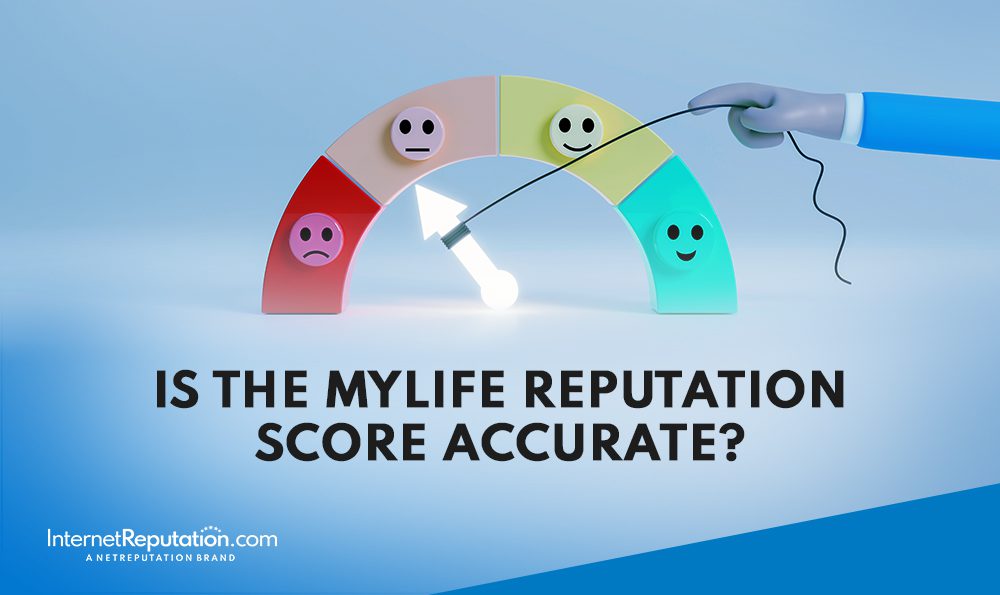
Is the MyLife Reputation Score accurate, or are there better ways to assess the strength of your online reputation?
In the digital age, having a good online reputation is important if you want to do business effectively. The quality of your reputation can lead to exponential growth … or imminent disaster.
The question is: How do you know if your online reputation is good or bad?
To measure your online reputation score, consider factors such as the number of online reviews, the percentage of positive versus negative reviews, and audience engagement with your social media posts.
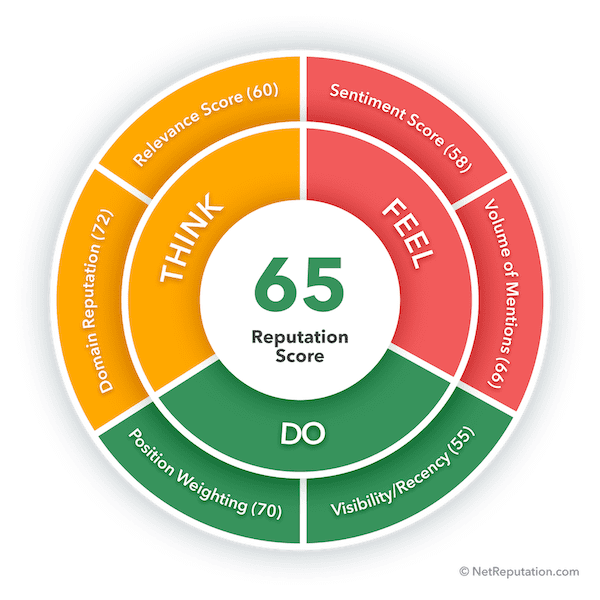
Luckily, there are professional ORM companies and services that help you evaluate your online brand image and assign you an online reputation score. For example, MyLife lets you run a free reputation score scan to determine how you or someone else is perceived online.
In this article, we’ll explain what MyLife is, how it assesses your brand’s online reputation score, and how you can use online reputation management to improve how your personal or professional brand is perceived online.
We can help you achieve a good reputation score even if you’re starting from zero or rebounding from reputational damage. Call us at 941-259-4554 for more information.
What Is MyLife?
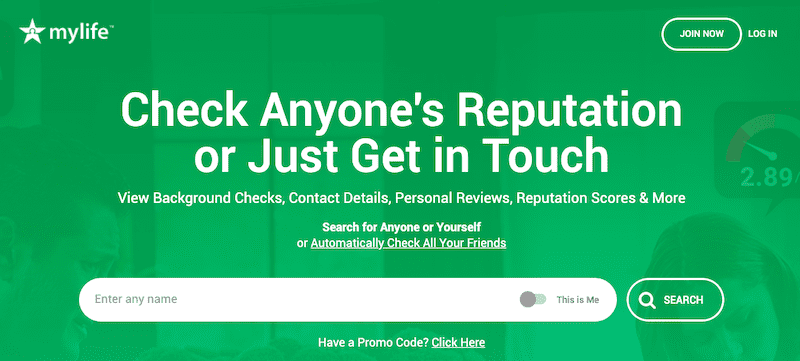
If you’ve ever searched for your name on Google, you may have stumbled upon the MyLife website before. MyLife is a data broker and aggregator that makes it easy and convenient to find out practically anyone’s personal information.
Like many other online data aggregators, MyLife pulls together public information from a variety of sources to create in-depth profiles of individuals. Then, anyone with an internet connection can search for this information by entering an individual’s name.
Use our Reputation Score Calculator for a detailed analysis of your online presence.
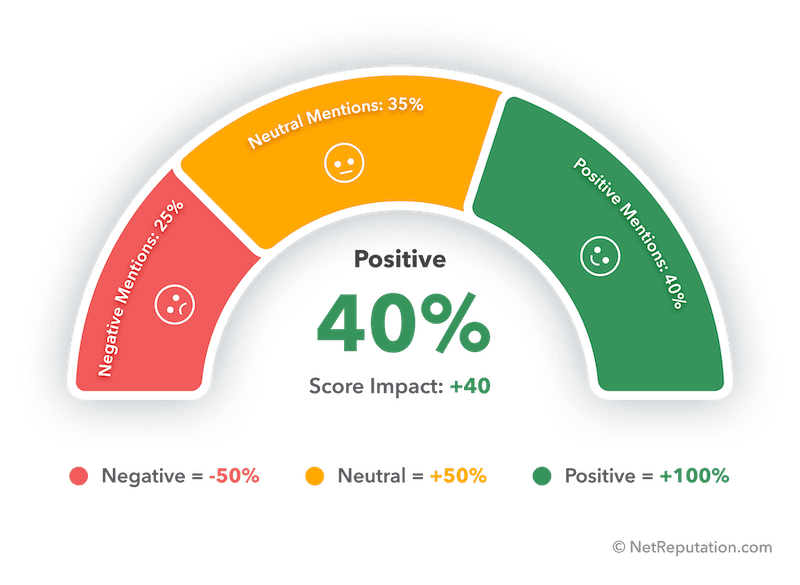
What Is the MyLife Background Report?
The personal information that MyLife collects, processes, and presents is consolidated into a background report. MyLife automatically generates these background reports and makes them publicly available on its website.
In most cases, a MyLife background report includes the following personal information:
- Name
- Age
- Home address
- Phone numbers
- Email address
- Employment background
- Court records
This auto-generated public background report is available for anyone to find. Site visitors simply need to search for a name and browse the results to find what they are looking for.
What Is the MyLife Reputation Score?
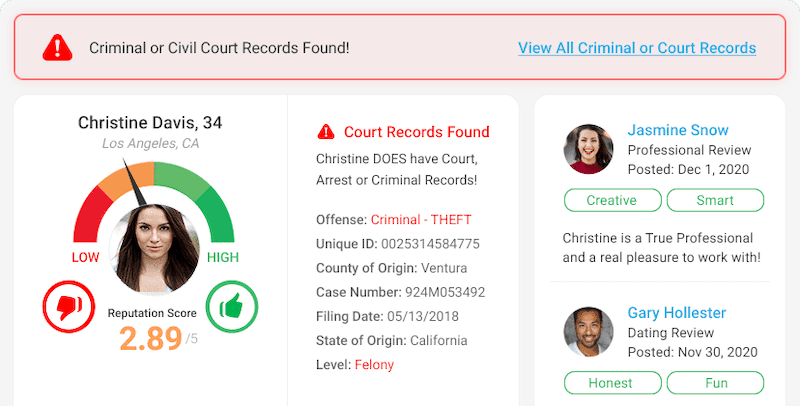
One thing that makes the MyLife site unique is its personal online reputation score, which you can find on a person’s MyLife page. The MyLife Reputation Score ranges from 0 to 5 and gauges an individual’s online reputation based on data collected by MyLife from various internet sources. It’s calculated using a proprietary algorithm, but the exact formula is not publicly disclosed.
What Affects the MyLife Score?
To come up with a Reputation Score, MyLife does the following:
- Browses public records and scrapes through documents and databases, including court documents and property records, to collect personal information
- Analyzes the different types of online data it collects
- Generates a Reputation Score based on its findings
In addition to creating a Reputation Score for the individual, MyLife also makes the data it collects publicly available to anyone searching for it.
To collect information about a person, these are the types of public records MyLife will scrape from the internet:
- Arrest records
- Criminal records
- Liens
- Online reviews
- Political connections
- Income
- Employment history
- Photos
- Education history
- Social media profiles
- Social connections
- Professional licenses
- Contact details
All information in these records can affect the Reputation Score MyLife calculates, and outdated information in public records can also influence the score. After MyLife gathers information, it incorporates details to develop a full report on the individual.
How Accurate Is the MyLife Score?
MyLife can only be as accurate as the data it finds online. Scores below 1 are generally considered poor, scores below 3 are less favorable, and scores from 3 to 5 are generally considered high or good. Unfortunately, it’s easy to post inaccurate or misleading information online and have MyLife find it, and many privacy experts criticize the score as potentially misleading. By reading through MyLife reviews on Trustpilot, you’ll see that many people complain about incorrect information posted on the site.
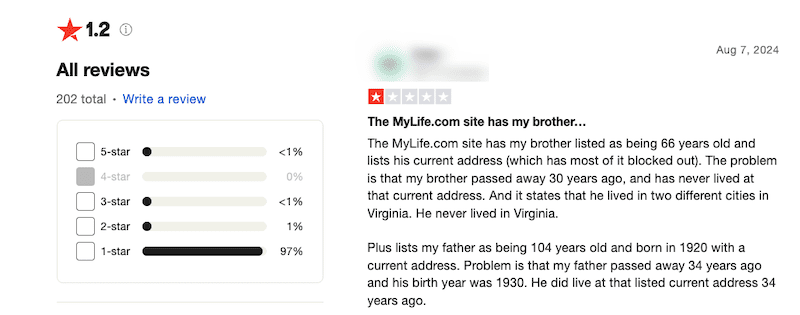
When incorrect information ends up in the MyLife database, it can create a poor reputation score even if it is not factual. MyLife’s data often merges records from individuals with similar names, increasing the risk of errors. Similarly, false claims can also create a positive score for a person who, in fact, has a negative online reputation.
If your data is on the MyLife website, it’s smart to review it for accuracy to avoid a bad reputation score due to misleading information and to address privacy concerns. Moreover, you may want to have your information completely removed from the MyLife website to protect your privacy and take control of your online information.
Our clients come to us when they need to build or repair their online reputation and take control of their digital presence. Call us at 941-259-4554 to learn more.
Misleading Criminal Records
Aside from misrepresenting basic information like your age, location, or work history, some MyLife profiles may have references to a criminal background even if the person has never been in trouble with the law. By simply offering the option to view a person’s arrest, court, or criminal records, MyLife suggests that the individual has some type of nefarious background.
In many cases, though, the person has no criminal history, and online identity claims are not always reliable, since 67% of people lie about their online identities. Once the suggestion is made, though, it can impact how others think of the individual. That kind of cue may shape personal impressions even though the score carries little weight in official financial or legal decisions. It can even affect important life moments like being accepted into college, getting a job, or making a connection with someone you meet online. Misleading criminal history details and anonymous reviews can make that damage even worse.
How To Opt Out Of MyLife
Want to remove your data from the MyLife website? The opt-out process is relatively straightforward. Follow the steps below.
1. Find the opt-out link
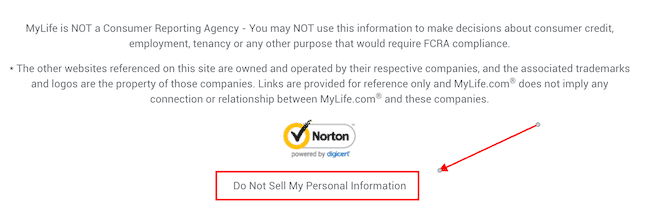
Starting on the MyLife.com homepage, scroll to the bottom. In the footer section, click the Do Not Sell My Personal Information link.
2. Fill out the opt-out form
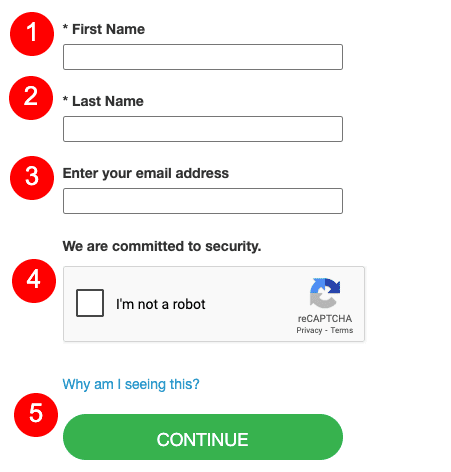
You’ll be taken to the MyLife opt-out form, which asks for your basic contact information: First name, last name, and email address. Fill in the information, click the CAPTCHA box, and then click the Continue button. The myLife opt-out process may require identity verification later in the removal process, so follow the platform’s verification instructions carefully.
3. Check for a verification email
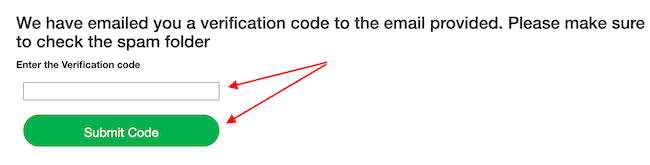
MyLife will immediately send you an email verifying that you want to remove your data from the site after you submit your request through the MyLife opt-out page. The email will have a verification code. Copy the code and paste it into the dedicated box on the website to confirm the correct profile page. Click Submit Code when you’re done.
A completed removal process can still take 1-2 weeks after verification is finished.
4. Fill out the new form
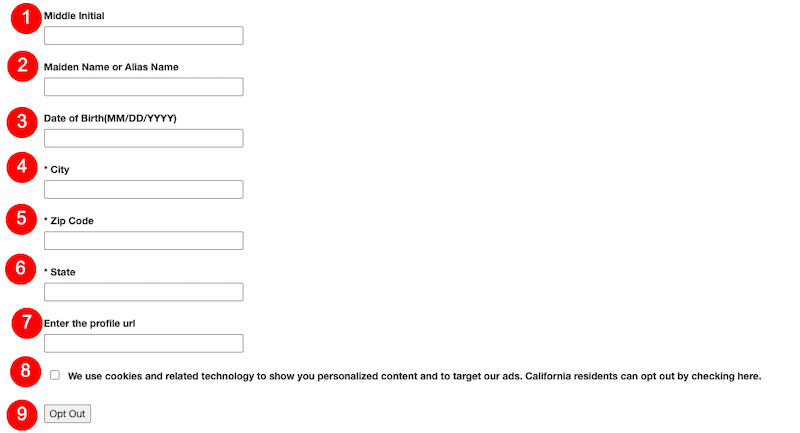
Next, a new form will auto-generate. This form will ask you for more information than the other form you filled out, such as your birth date and geographical information, and you may also be asked for additional personal identifying information and, in some cases, photo identification to verify the request.
Fill out each field with accurate details, then click the cookies checkbox below the form to avoid delays or incomplete profile removals. Click Opt Out when you’re done.
5. Review the opt-out confirmation page
Within seconds, you’ll be redirected to an opt-out confirmation page. Make sure this page states that MyLife has received your removal request. Keep the confirmation for your records and be ready to submit follow-ups if the profile remains visible or reappears. Because prolonged processing times can happen, consumers may need to monitor the listing after the initial removal request.
InternetReputation.com provides the information and services you need to protect your online reputation score. Get started with a free online reputation analysis by calling 941-259-4554 today.
Your Online Reputation Matters

Having a good online reputation is necessary to thrive in the digital space.
When platforms like MyLife provide unflattering, unverified background data, your online reputation can quickly be tarnished. MyLife is not a Consumer Reporting Agency, even though it publishes broad reputation profiles and background-style information. Take your online reputation management seriously — on people search sites, others could be judging you for what they find online without you even realizing it. MyLife claims to have records for over 320 million people, which means many users can be affected.
Here are some easy ways to boost your online reputation:
- Have a good review strategy. Monitor online reviews and reply to each one you receive, whether it’s positive or negative.
- Remove false information. If you see false information about you circulating online, take steps to have it removed.
- Create a solid content strategy. Regularly post positive content that will dominate search results for your name.
- Partner with influencers. Find an influencer in your niche who will work with you to increase brand awareness and develop a strong online reputation.
- Use a professional online reputation management company. ORM requires time, effort and expertise. Instead of trying to develop and stick to a strategy on your own, work with specialists who can handle it for you.
Contact Internet Reputation Today
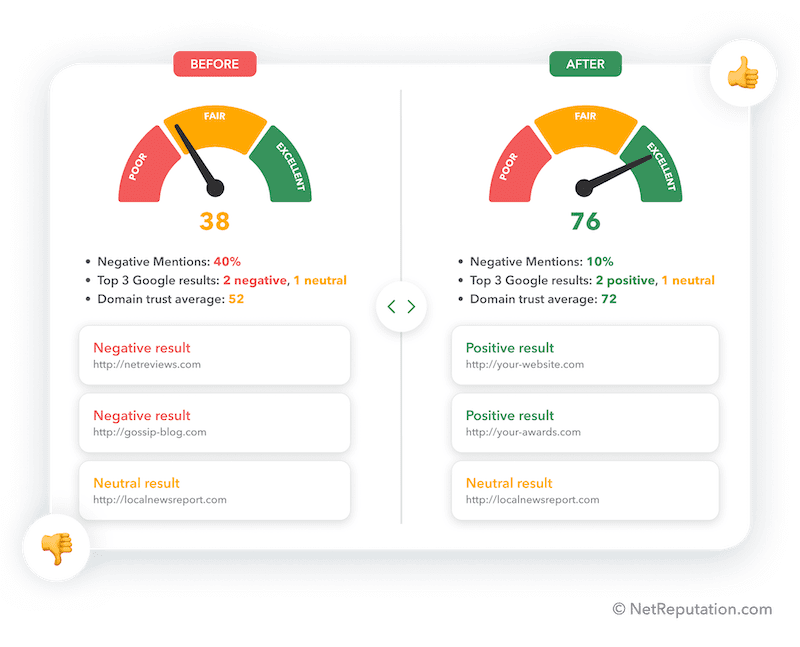
At InternetReputation.com, we provide ORM information to individuals and businesses who want to create, grow, or repair their reputation score. Whether you’re prioritizing your personal or professional online reputation, our advice, services, and team of experts can help. MyLife has also faced at least four lawsuits over misinformation and related practices. In 2015, the company paid over $1 million in fines for false advertising. The Federal Trade Commission filed a complaint alleging violations of the Fair Credit Reporting Act.
We offer a range of services, including content removal, online review management, and reputation repair following a crisis. Our five-step process includes analysis, web property development, content creation, publishing, and promotion.
You don’t have to manage your online reputation on your own.
To learn more about our ORM services and what our firm can do to help you, call us today at 941-259-4554 to speak with an expert.